Azure VPN Gateway Deployment Guide (with Azure AD Authentication)
This guide walks you through deploying an Azure VPN Gateway (P2S – Point-to-Site) with Azure Active Directory authentication, and provisioning a test VM without public IP for secure connectivity testing.
Prerequisites
- Azure CLI ≥ 2.50
- Sufficient permissions:
- Contributor on the target Resource Group
- Application Administrator or Global Administrator in Azure AD
- An existing Virtual Network (
$VNET) - Bash shell (Linux/macOS or WSL)
Parameters
RG="nluatpoc"
VNET="poc-vnet"
LOCATION="uaenorth"
GWNAME="poc-vpn-gateway"
GWIP="poc-vpn-gw-ip"
VMNAME="poc-vm"
NICNAME="poc-vm-nic"
ADDRPOOL="10.20.30.0/24"
SUBNETVM="poc-subnet"
Retrieve your Azure AD Tenant ID:
TENANT_ID=$(az account show --query tenantId -o tsv)
1. Create GatewaySubnet
az network vnet subnet create \
  --resource-group $RG \
  --vnet-name $VNET \
  --name GatewaySubnet \
  --address-prefix 10.0.255.0/27
Note: The subnet name must be exactly
GatewaySubnet.
2. Create Public IP for VPN Gateway
az network public-ip create \
  --resource-group $RG \
  --name $GWIP \
  --allocation-method Static
3. Create VPN Gateway
az network vnet-gateway create \
  --resource-group $RG \
  --name $GWNAME \
  --public-ip-address $GWIP \
  --vnet $VNET \
  --gateway-type Vpn \
  --vpn-type RouteBased \
  --sku VpnGw2 \
  --location $LOCATION
⏳ Takes about 20–30 minutes to complete.
4. Configure VPN Client Address Pool
az network vnet-gateway update \
  --resource-group $RG \
  --name $GWNAME \
  --set vpn_client_configuration.vpnClientAddressPool.addressPrefixes='["'$ADDRPOOL'"]' \
        vpn_client_configuration.vpnClientProtocols='["OpenVPN"]'
5. Enable Azure AD Authentication on VPN Gateway
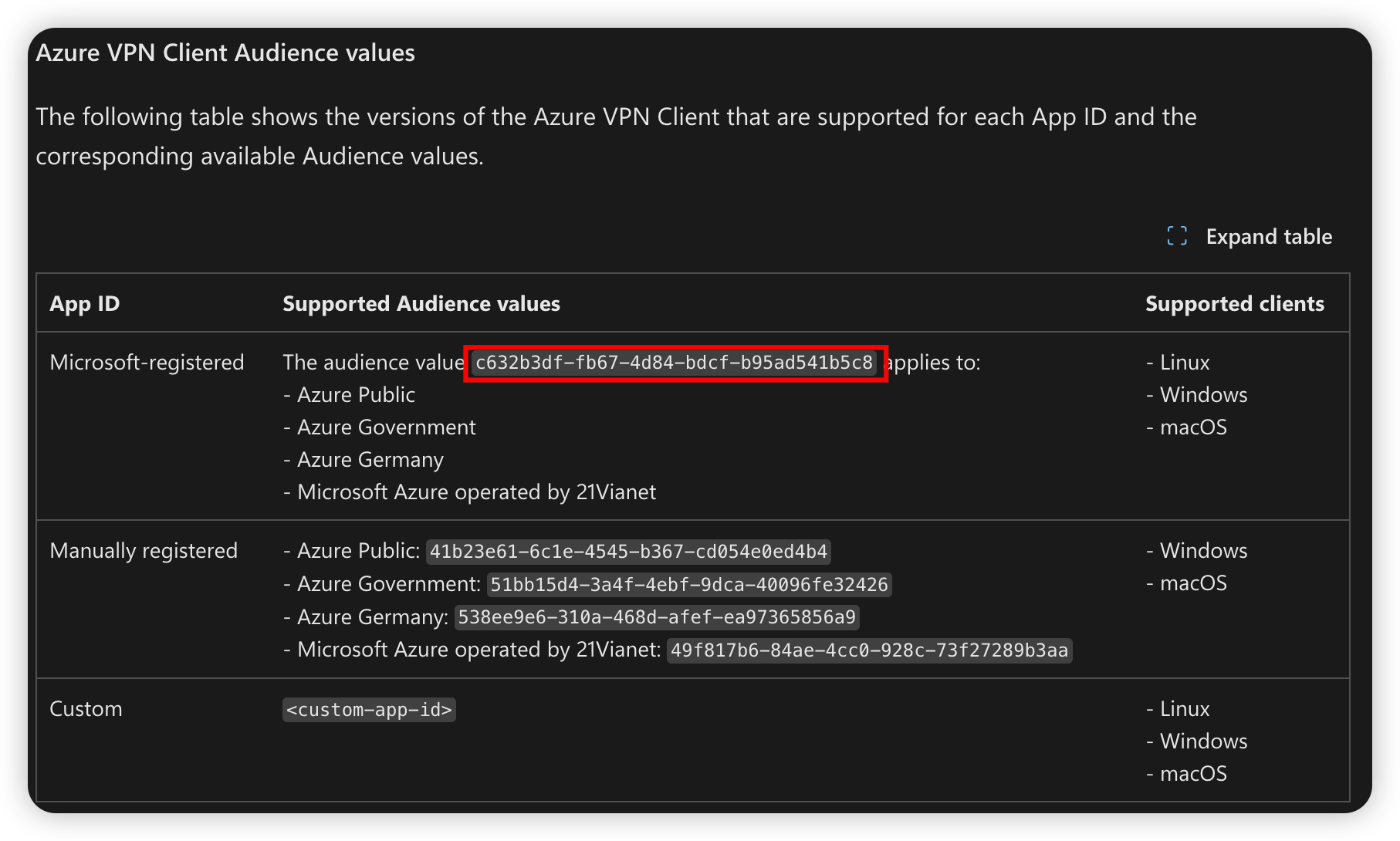
az network vnet-gateway update \
  --resource-group $RG \
  --name $GWNAME \
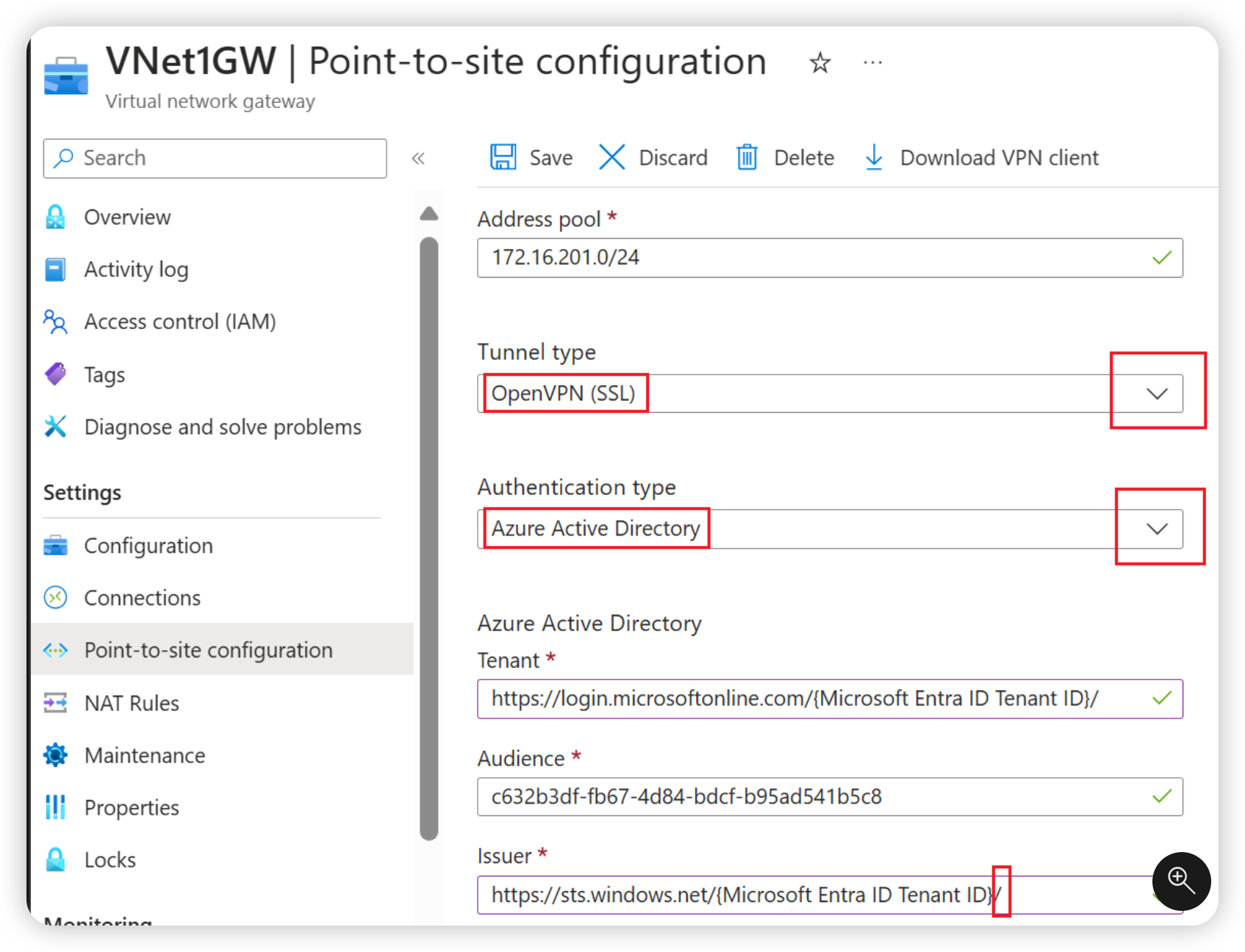
  --set vpn_client_configuration.vpnAuthenticationTypes='["AAD"]' \
        vpn_client_configuration.aadTenant="https://login.microsoftonline.com/$TENANT_ID" \
        vpn_client_configuration.aadAudience="c632b3df-fb67-4d84-bdcf-b95ad541b5c8" \
        vpn_client_configuration.aadIssuer="https://sts.windows.net/$TENANT_ID/"
6. Generate VPN Client Configuration
az network vnet-gateway vpn-client generate \
  --resource-group $RG \
  --name $GWNAME \
  --authentication-method EAPMSCHAPv2
This command outputs a download URL for a ZIP file — the VPN client configuration package.
7. Create a Test VM (No Public IP)
az network nic create \
  --resource-group $RG \
  --name $NICNAME \
  --vnet-name $VNET \
  --subnet $SUBNETVM

az vm create \
  --resource-group $RG \
  --name $VMNAME \
  --nics $NICNAME \
  --image UbuntuLTS \
  --admin-username azureuser \
  --generate-ssh-keys \
  --public-ip-address ""